
Client documents.
Collected on time.
Give every New Zealand client a clear checklist for each GST return. Follow up on what’s missing before every IRD due date.
Live in New Zealand Australia waitlist
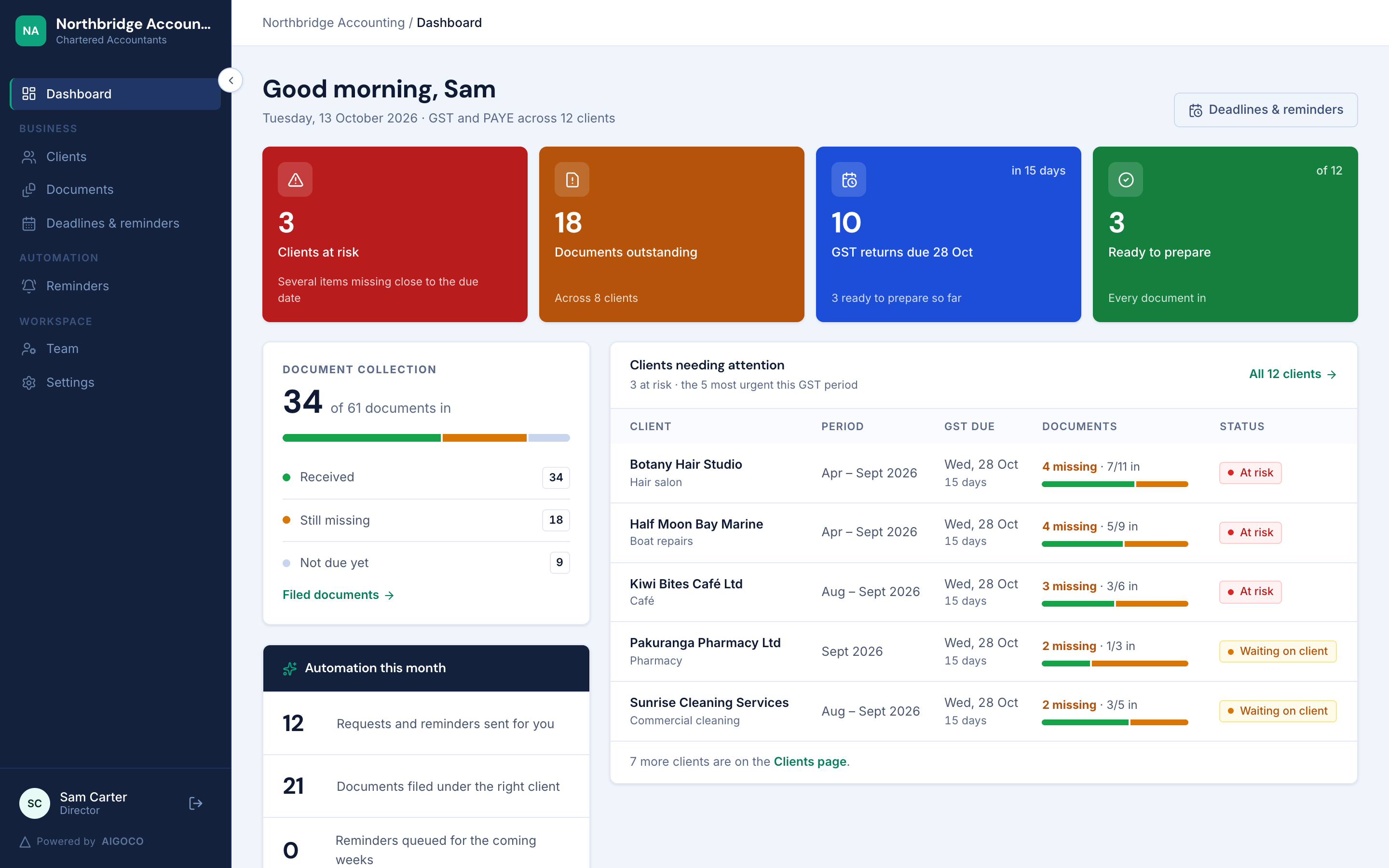
From request to received.
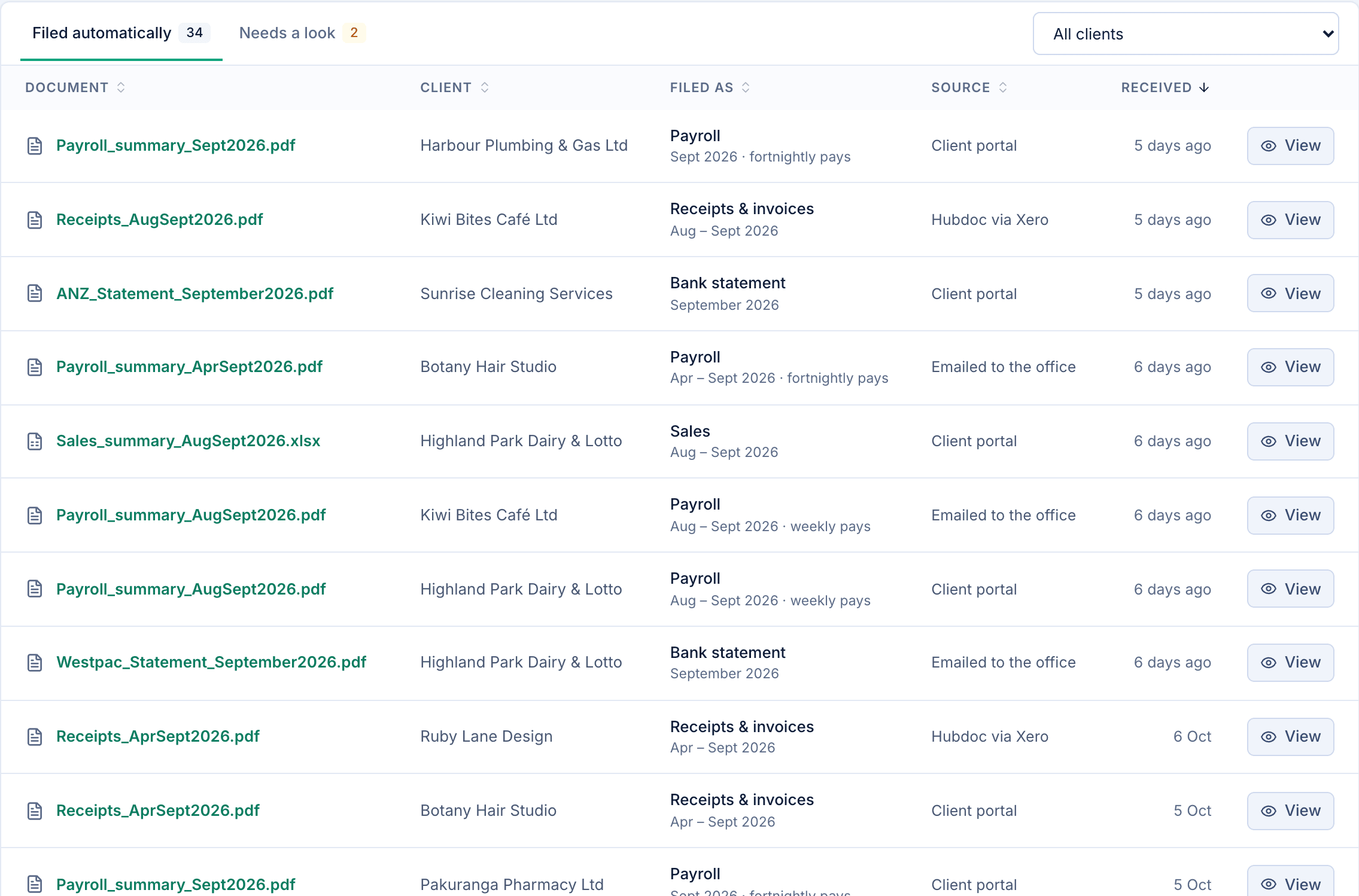
Request, follow up, and collect in one place. Every document stays connected to the right client and period.
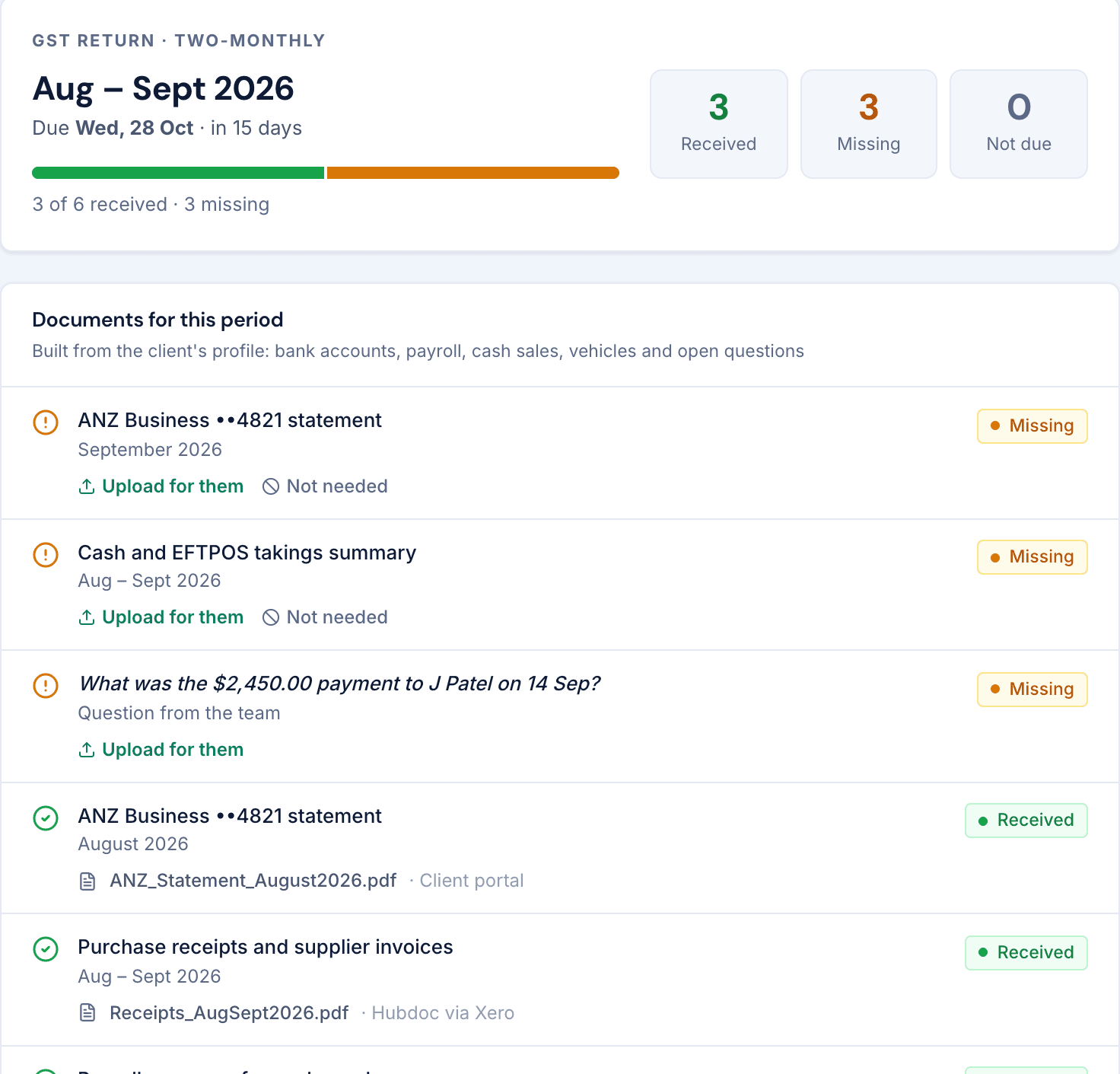
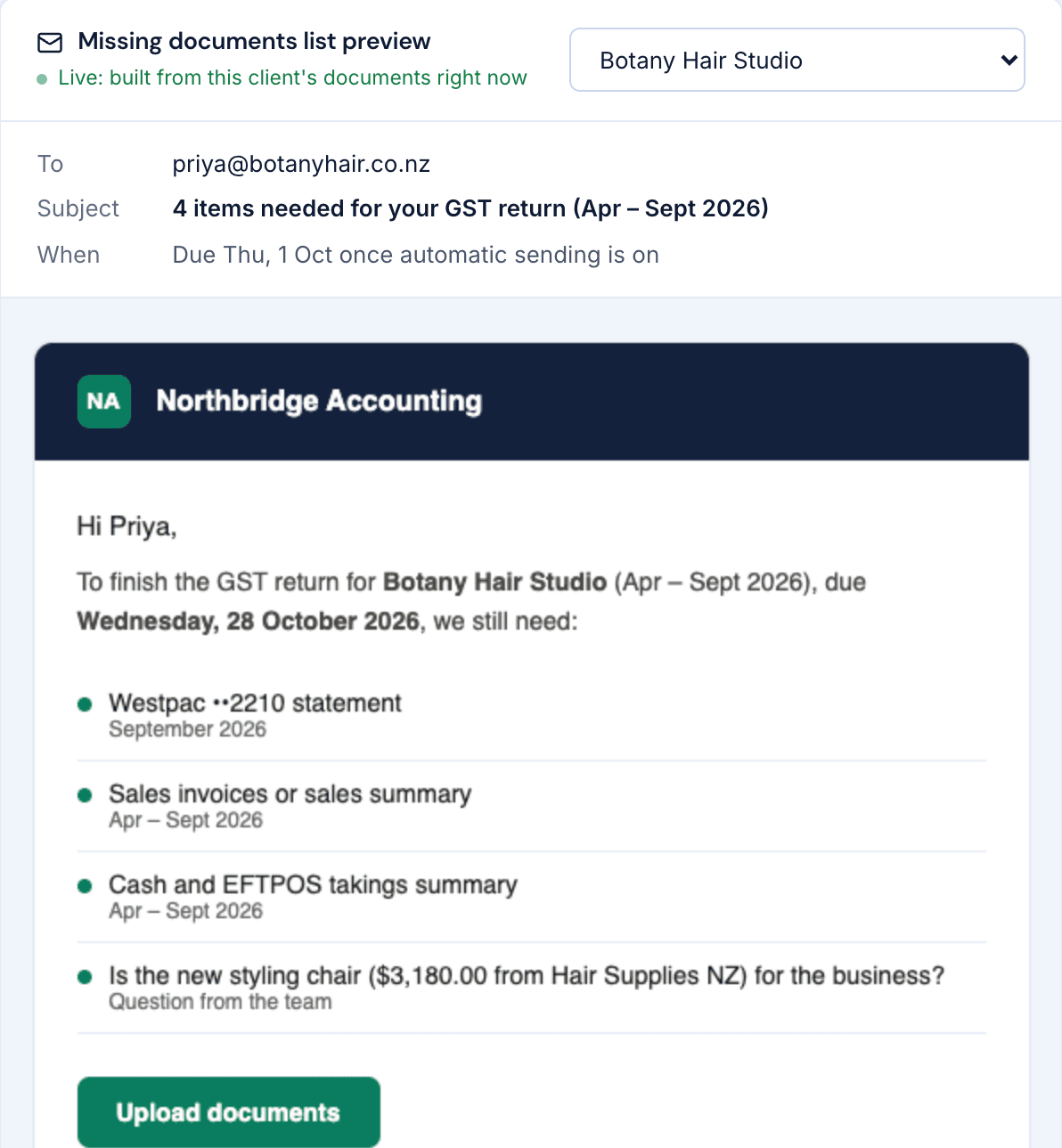
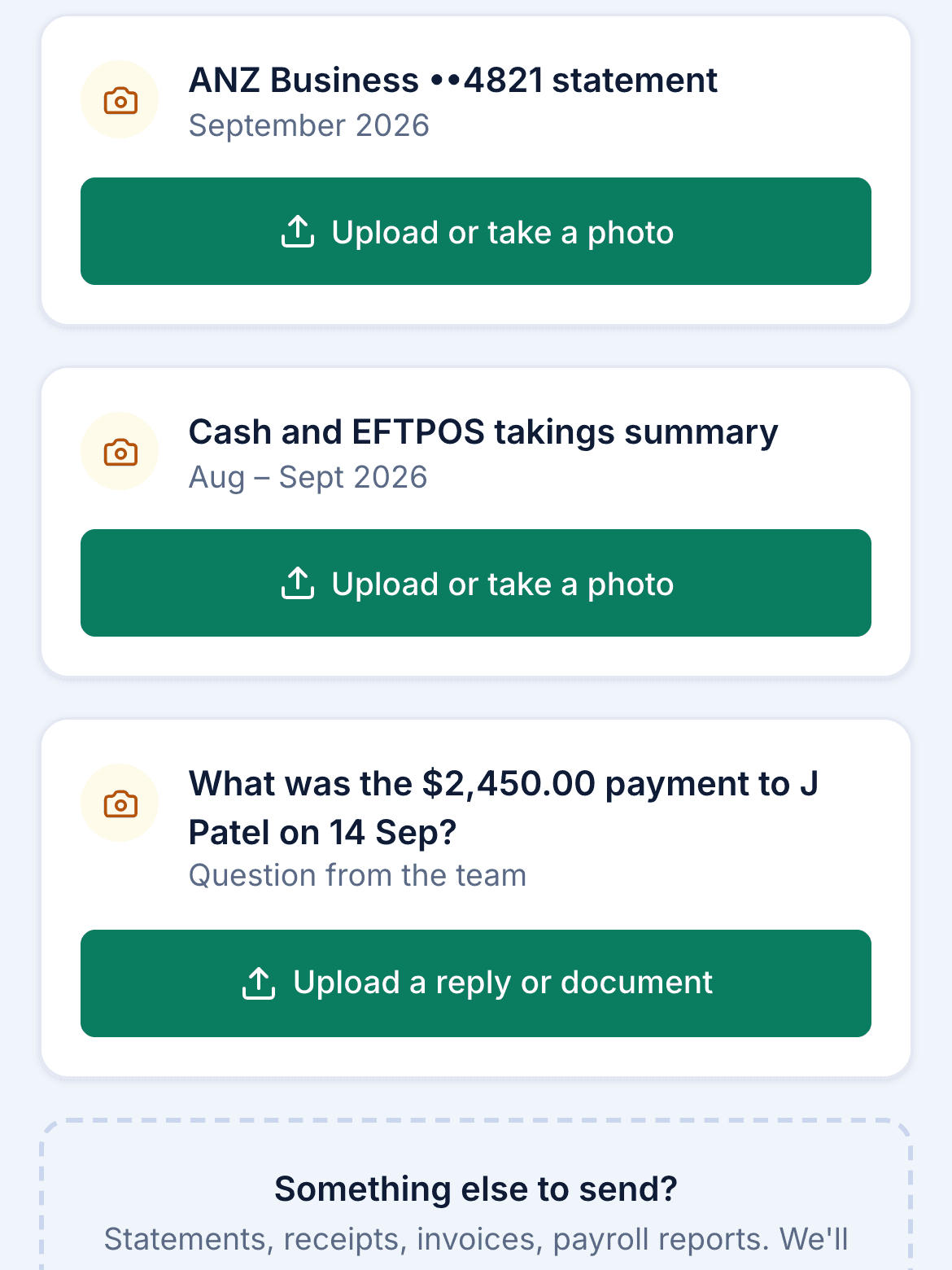
Your workspace
Configured around your business and how you collect documents.
Your clients
Added with their document requirements in place.
Your team
Guided through checklists, reminders, and client uploads.
Every feature.
A better price.
An introductory price of NZ$89/month, with every feature, unlimited team members and unlimited clients.
NZ$89/ month
Regular price: NZ$169 / month
Plus a one-off setup fee, quoted before you start.
- Unlimited team members and clients
- Client checklists and document requests
- Manual and automatic reminders
- Private client upload pages
- Document search, filing, and previews
- Managed account setup and onboarding
Guides for NZ accountants.
GST and payroll dates worked out from the same rules the product uses. All guides
- GST · 4 min read
GST due dates in New Zealand for 2026 and 2027
When GST returns and payments are due in New Zealand: the 28th rule, the 15 January and 7 May exceptions, and every due date for periods ending March 2026 to October 2027.
Read the guide - Payroll · 4 min read
PAYE and payday filing deadlines in New Zealand
Payday filing within two working days and PAYE by the 20th of the following month, with every PAYE payment date from April 2026 to November 2027.
Read the guide - Checklist · 3 min read
The client document checklist for a GST return
What to ask clients for before every GST return: bank statements, sales and purchases, cash takings, vehicle logbooks, payroll and answers to your questions.
Read the guide
Common questions
Do clients need an account?
No. Each client uses a private upload link and confirms a code sent to their email. There’s no password to remember or app to install.
Can we review reminders before sending?
Yes. You can preview each email and send it yourself. Automatic sending is optional, and reminders only include documents still outstanding.
What does the setup include?
We configure your business’s account, add your clients, and onboard your team. The one-off setup fee is quoted for your business before you start.
How do private upload links work?
Clients confirm an email code before uploading. Links expire after 30 days and can be switched off. Uploaded files are checked on arrival and filed against the correct checklist item.
Where is Tabulance available?
Tabulance is live in New Zealand. Australian businesses can join the waitlist.
Have another question? Talk to our team
See how it fits
your business.
A walkthrough of the product.
A conversation about your setup.